# Website Design & Communication
How Local Government Websites Help Protect Residents From Impersonation Scams
Scammers are getting better at imitating local governments. Secure government websites can help residents recognize what's official before they click, pay, or share information.

CivicPlus
September 22, 2026
5 mins
Residents who visit their municipality’s website to pay a bill or find information assume it’s a trusted source. But bad actors are increasingly taking advantage of that trust by spoofing government websites, emails, and other communications.
Scammers have used fake websites that mimic official government sites to steal login credentials and gain unauthorized access to real accounts. And government impersonation complaints increased by 87% in one year (from 17,367 in 2024 to 32,424 in 2025). Those scams resulted in $798 million in reported losses in 2025 alone.
So, how can local governments protect their organizations and their residents? It starts with understanding why local governments have become so enticing for impersonation.
Why Government Impersonation Scams Are Increasing
Local governments make attractive targets because they combine something scammers can exploit:
- Public trust
- Publicly available information
- Regular financial transactions with residents and businesses
And with so many government services and communications now online, bad actors have more opportunities to imitate those interactions.
They also have plenty of material to work with. In recent impersonation attempts, scammers have pulled information from government websites and public records to make their messages look convincing. These messages have included the names of real employees, official seals, references to local regulations, and details about actual projects or applications. Some attempts have appeared within days of public meetings or website postings.
Emerging technology may make those scams even harder to spot. Municipal officials interviewed by the American Planning Association suspect AI is contributing to increasingly polished phishing attempts, although its role in specific incidents can be difficult to confirm.
And a local government’s systems don’t have to be breached for the damage to occur. Bad actors can imitate government organizations using information that’s already publicly available, leaving residents to determine which communications are authentic.
How Website Cybersecurity Helps Protect Residents From Cyber Incidents
Government websites give residents a trusted source to verify what’s official. A government website that stays secure and available keeps that single point of verification in place. One that doesn’t gives scammers an opening; attackers can alter content, add fraudulent payment links, or take the site offline. That makes protecting the website itself an important part of cyber defense.
A starting point to keep government websites secure is limiting who can change what residents see. Require multi-factor authentication for administrator accounts, give staff only the permissions their roles require, and remove access when someone no longer needs it. Keeping the CMS and other website software current also closes known vulnerabilities that could give bad actors another way into a municipal website.
Local governments also need a plan for keeping the website available during a cyber incident. Secure hosting and continuous monitoring can help teams spot and respond to suspicious activity, while backups and disaster recovery planning provide a path to restore operations after an outage or attack.
Put these protections on a regular review cycle rather than waiting for an incident to expose a weakness. Check administrator access, keep software current, monitor for suspicious activity, and test recovery plans. Other website security measures, including vulnerability testing and protections against distributed denial-of-service attacks, can add further protection against common threats.
Protect the Website Residents Rely On
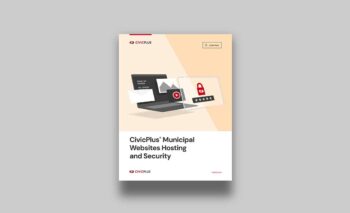
Website security requires multiple layers of protection. See how CivicPlus® Municipal Websites helps protect your site and your residents with secure hosting, monitoring, backups, disaster recovery, and other safeguards in the Municipal Websites Hosting and Security fact sheet.
Train Staff and Residents to Spot Government Impersonation Scams
Even a well-protected government website can’t stop someone from creating a fake email, social media account, or website that imitates the local government. But staff and resident awareness can make those attempts harder to pull off.
Start with employees who manage the website or communicate with residents. Train them to:
- Recognize phishing attempts designed to steal login credentials
- Use approved accounts and publishing processes
- Report suspicious activity quickly
Staff with website access should also know who owns each account and remove or update access when roles change, so unused or unnecessary credentials don’t become another way into the website.
Communications teams can also make legitimate messages easier for residents to recognize. Keep website addresses, payment links, contact information, and communication practices consistent across departments so residents see the same details no matter which office they’re dealing with. And if an impersonation attempt does happen, those same teams should know where to publish the warning and how to direct residents back to verified information on the municipal website.
Residents need a similar playbook. Encourage them to:
- Question unexpected requests for payment or personal information
- Verify unfamiliar website addresses
- Navigate to payment portals directly from the municipal website
- Confirm suspicious messages using contact information published on official government channels
Login.gov recommends similar steps for verifying government communications, including going directly to an official government website rather than trusting links in unsolicited messages. A .gov domain is one of the clearest signs residents have that they’ve reached an official government site.
These habits need reinforcement. Cybersecurity Awareness Month each October is a great opportunity to refresh staff training, remind residents how to verify official communications, and review whether those instructions are easy to find on the government website.
Helping Residents Know What’s Official Starts With Your Website
From here, consider whether your current government website gives your team the protections it needs if a cyberattack happens. Strong website security can reduce cybersecurity risk, limit downtime, and keep official information available when residents need it most.
CivicPlus Municipal Websites helps communications and technology teams protect their organization and their community. Communications teams can keep current information in one official destination residents know to trust, while technology teams can control website access, monitor for threats, protect website availability, and restore service after a disruption.
Take a self-guided tour of CivicPlus Municipal Websites to see how secure website management can help mitigate cybersecurity risks while keeping your residents connected to official information.
Disclaimer:
This content is provided for general informational purposes only and does not constitute legal advice. CivicPlus makes no guarantees as to the accuracy or suitability of this material and disclaims all liability for actions taken or not taken based on it. Use of this content does not create any attorney-client or advisory relationship. You should consult your own legal counsel before adopting or implementing any policies. CivicPlus may update or withdraw this material at any time without notice.
Written by
CivicPlus