# Agendas & Meetings
Produce Polished Agenda Items and Minutes Faster with the AI Editing Assistant

CivicPlus
January 12, 2026
3 min
Municipal clerks face mounting pressure to produce accurate, professional agendas and minutes under tight deadlines. The manual nature of drafting and editing agenda items and meeting minutes leads to inefficiencies, inconsistencies, and increased risk of errors. Without built-in support tools, clerks must rely on memory or hastily handwritten notes, which can compromise the quality and clarity of public records and delay publication for residents.
Meet the Agenda and Meeting Management AI Editing Assistant
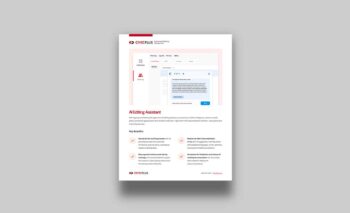
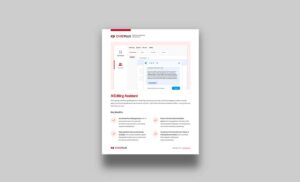
With the AI Editing Assistant, powered by CivicPlus® Intelligence, clerks can draft, polish, and format agenda items and minutes in real time—right within their documentation workflow—saving time and improving accuracy.
Clerks gain real-time support for grammar, clarity, formatting, and translation, without leaving their workflow. The AI Editing Assistant reduces manual effort, improves consistency, and enhances transparency, helping municipalities deliver accurate, professional records faster.
How the AI Editing Assistant Solves Key Challenges:
- Accelerate the drafting process: AI-powered prompts automate formatting, improve clarity, and reduce repetitive editing tasks for faster creation of agenda items.
- Stay organized and accurate during meetings: Prompt-based support helps clerks capture motions, votes, and decisions efficiently, supporting accuracy in real time.
- Reduce the risk of documentation errors: Built-in suggestions refine legislative language, correct grammar, and maintain formatting consistency.
- Accelerate the finalization and release of meeting documentation: AI streamlines editing and reduces bottlenecks, enabling timely publication of agendas and minutes.
Tailored Benefits for Every Role
For Clerks
Clerks are responsible for preparing, documenting, and publishing official records of government meetings. They often juggle real-time notetaking, formatting, and proofreading under tight deadlines.
- Clerks can use predefined or custom prompts to improve clarity, structure, and tone of agenda items and meeting minutes. Prompts like “Format for Minutes” or “Simplify Language” help clerks quickly refine content without leaving their workflow.
- AI helps clerks maintain consistency in legislative phrasing, motions, and votes, reducing the risk of errors and improving the professionalism of public records.
- Instead of manually reformatting or rewriting content, clerks can rely on AI to handle repetitive tasks, saving time and reducing fatigue.
For Other Municipal Staff
For municipal staff who occasionally create agenda items, the AI Editing Assistant acts as a writing and editing assistant to improve the quality of their agenda items.
- Staff can use prompts like “Make this sound professional” or “Format for agenda” to quickly refine descriptions, fiscal impacts, and recommendations without needing to leverage external tools.
- AI helps translate technical or operational details into public-facing language that is easy to understand, improving communication with elected officials and residents.
- By improving initial drafts, AI minimizes the need for multiple revisions by the clerk’s office, saving time for both staff and clerks.
Why It Matters
Beyond internal documentation, agenda items and minutes are public-facing tools that foster transparency and trust. When clerks spend hours manually drafting and formatting, publication delays can frustrate elected officials, slow decision-making, and erode public confidence.
By reducing repetitive tasks and accelerating finalization, it helps municipalities publish clear, professional records faster, so residents stay informed and engaged. The benefits go further than efficiency, aiming to strengthen how residents engage with local governance. When meeting outcomes are accessible sooner and written in plain, understandable language, communities feel connected to local governance.
AI Editing Assistant empowers staff to focus on governance, not formatting. This shift strengthens transparency, improves collaboration, and reinforces public trust.
Tips to Get the Most Out of the AI Editing Assistant
- Use Hot Button Prompts: Start with predefined actions like “Format for Minutes” or “Simplify Text” for quick improvements.
- Try Conversational Commands: Ask the AI to rewrite, clarify, or even translate content using natural language prompts.
- Let AI handle the repetitive, heavy lifting, using it to draft, rewrite, or format content quickly. As always, it’s important to review what the editor creates and to apply your expertise, add context, and check for accuracy.
Ready to Save Hours on Agenda Prep and Minutes?
Bring speed, clarity, and consistency to agenda items and minutes with the power of AI that’s built for the unique needs of local governments. Talk to an expert today.
Written by
CivicPlus